
 Climbo Quick Start Guide – Get Your Reviews Rolling in Record Time
Congrats on starting with Climbo! This guide walks you through setting up your branded account, sending review requests, managing feedback, and showcasing your reviews to attract more customers.
 Tip: Watch the overview video first to see Climbo in action.
Step 1: Connect Your Review Platforms
- Go to Settings > Integrations
- Link Google, Facebook, and any other platforms
- Action Tip: Make sure all accounts are connected so reviews flow automatically
Step 2: Personalize Your Review Link
- Find your unique Review Link
- Add your logo and images for a branded experience
- Share via Email, SMS, WhatsApp, QR code
- Action Tip: The more places you share it, the faster reviews come in

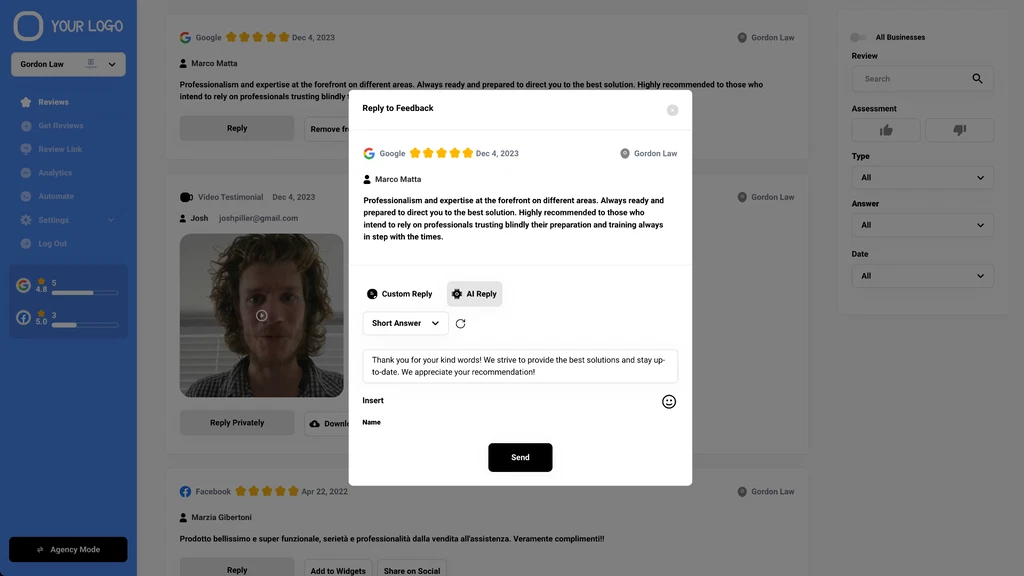
3. Manage and Respond to Reviews
- Go to the Reviews section for all reviews & video testimonials
- Reply manually or with AI-generated professional responses
- Action Tip: Respond promptly — engagement boosts trust and visibility
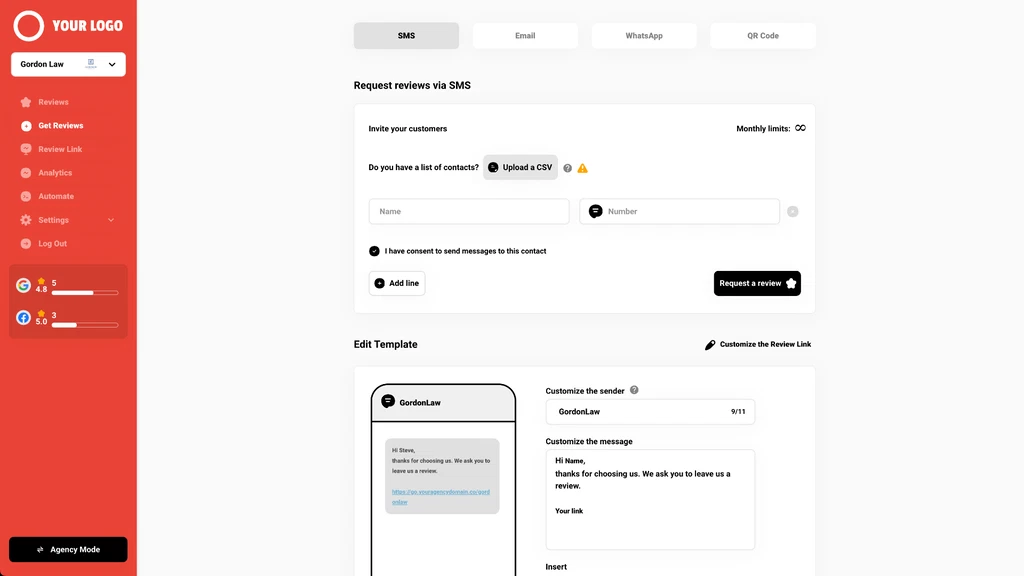
4. Send Review Requests Easily
- Print QR codes for your store/reception
- Send requests via Email, SMS, WhatsApp
- Upload customer lists for bulk requests
- Set automatic reminders for non-responders
- Action Tip: Send to at least 30–50 customers initially to build momentum
5. Showcase Your Reviews
- Use Widgets to display top reviews & videos on your website
- Add carousels, feeds, or badges with a simple HTML snippet
- Action Tip: Feature your best reviews prominently to build trust instantly
6. Share Reviews on Social Media
- Connect Facebook & Instagram under Settings > Social Sharing
- Customize post templates
- Share your best reviews with one click
- Action Tip: Regular social posts amplify your online presence
7. Track Performance with Analytics
- Monitor the number of reviews, average rating, and funnel performance
- Identify what’s working and adjust your strategy
- Action Tip: Check analytics weekly to stay on top of growth
 You’re Ready to Grow Your Reviews!
Follow these steps, and your Climbo account will start collecting, managing, and showcasing positive reviews in no time.
 Need help? Contact our friendly support team anytime.